Rafał Zieliński

Product designer with an art director's eye.

Case study 1/4

From free tool to paid SaaS.

I redesigned a beloved free engineering tool into a paid SaaS product — without losing the community that made it valuable.
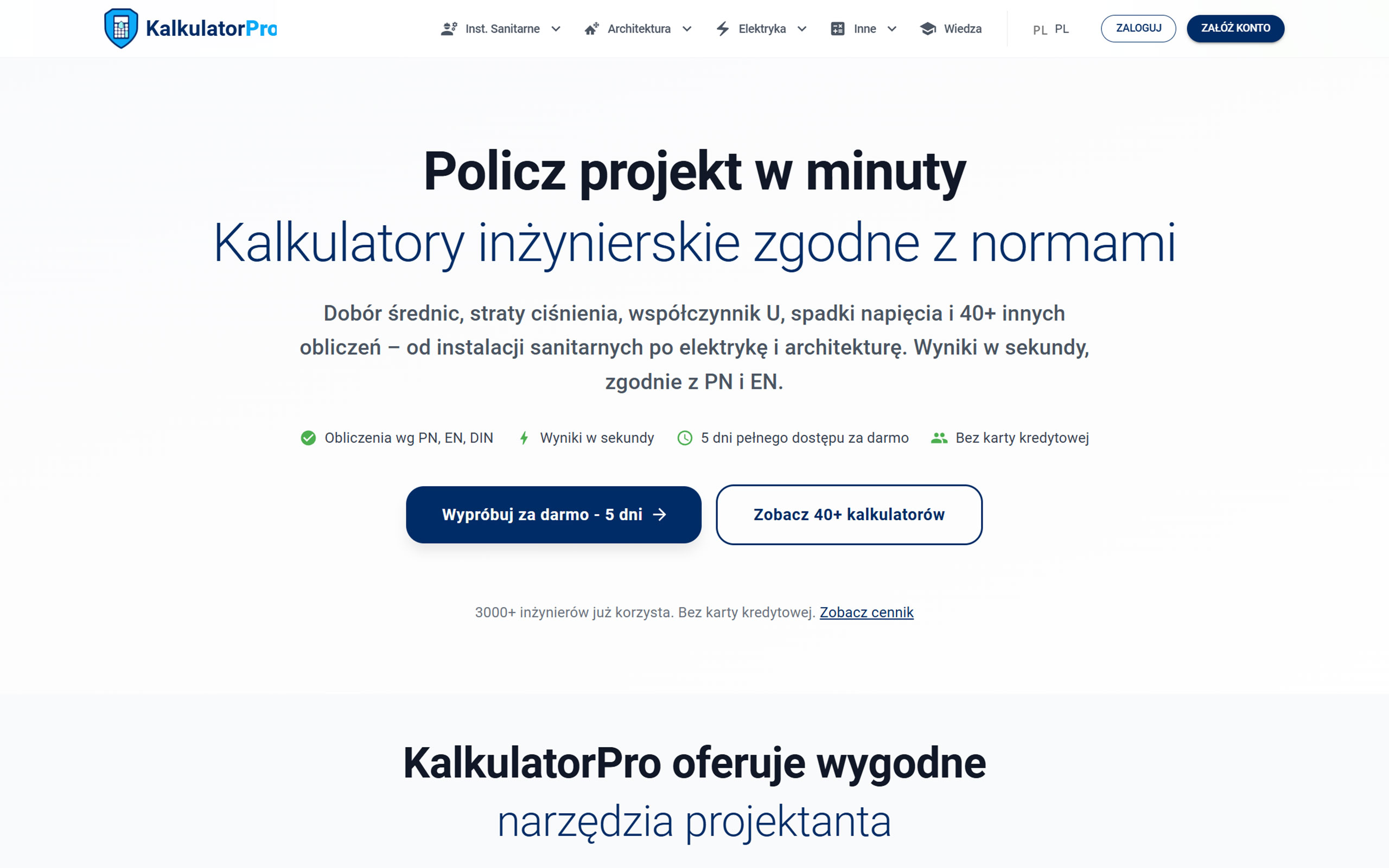
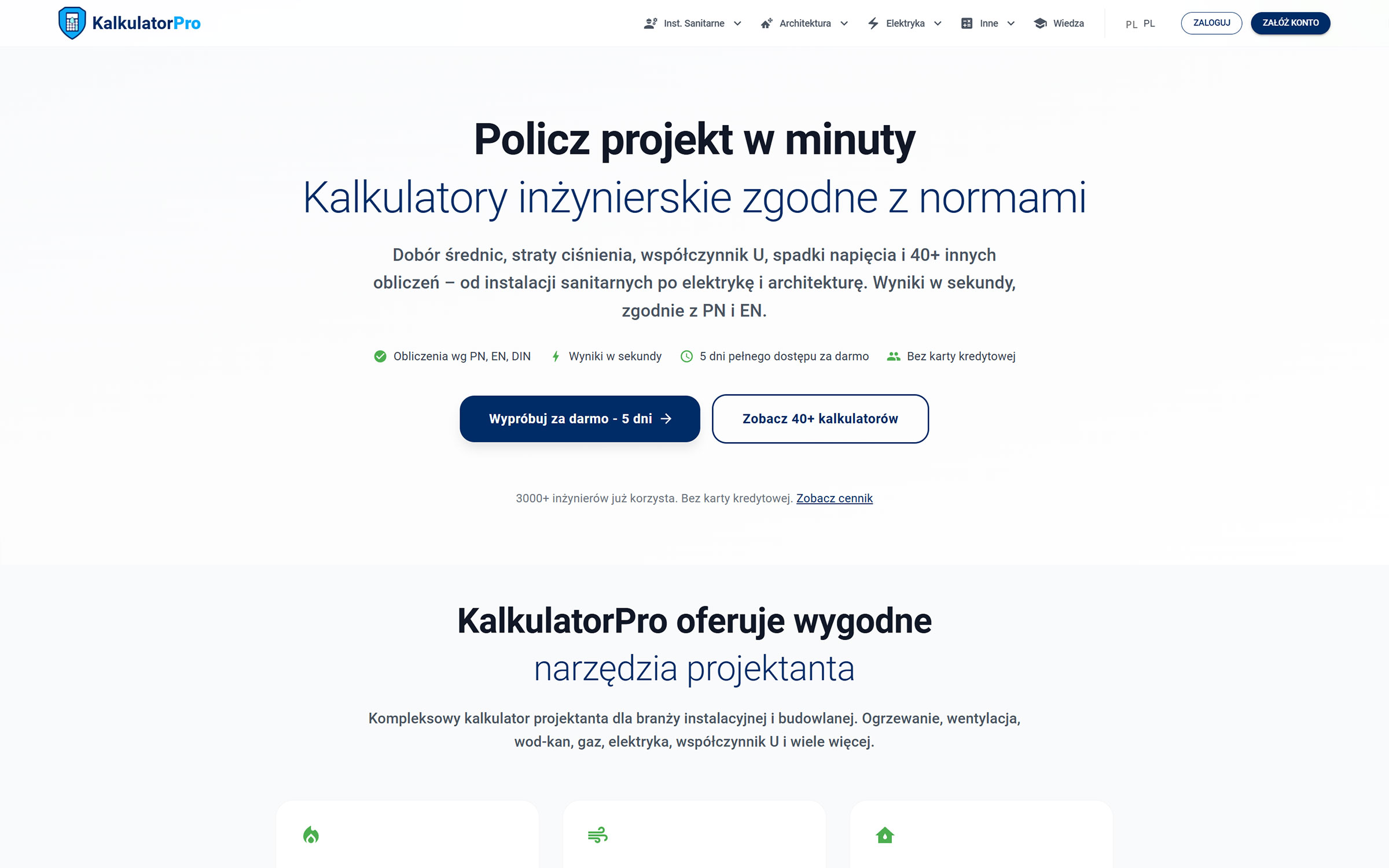
KalkulatorPro homepage after the redesign — free trial and 40+ engineering calculators
My Role
Lead UX/UI Designer / Product Strategy Advisor

Context

KalkulatorPro.pl is a free suite of engineering calculators that built a loyal community through word of mouth alone.

The challenge wasn't building a paywall — it was converting a trusted free tool into paid SaaS without breaking that trust.

3,000+
Engineers
40+
Calculators
99.9%
Uptime
PN/EN/DIN
Standards compliant
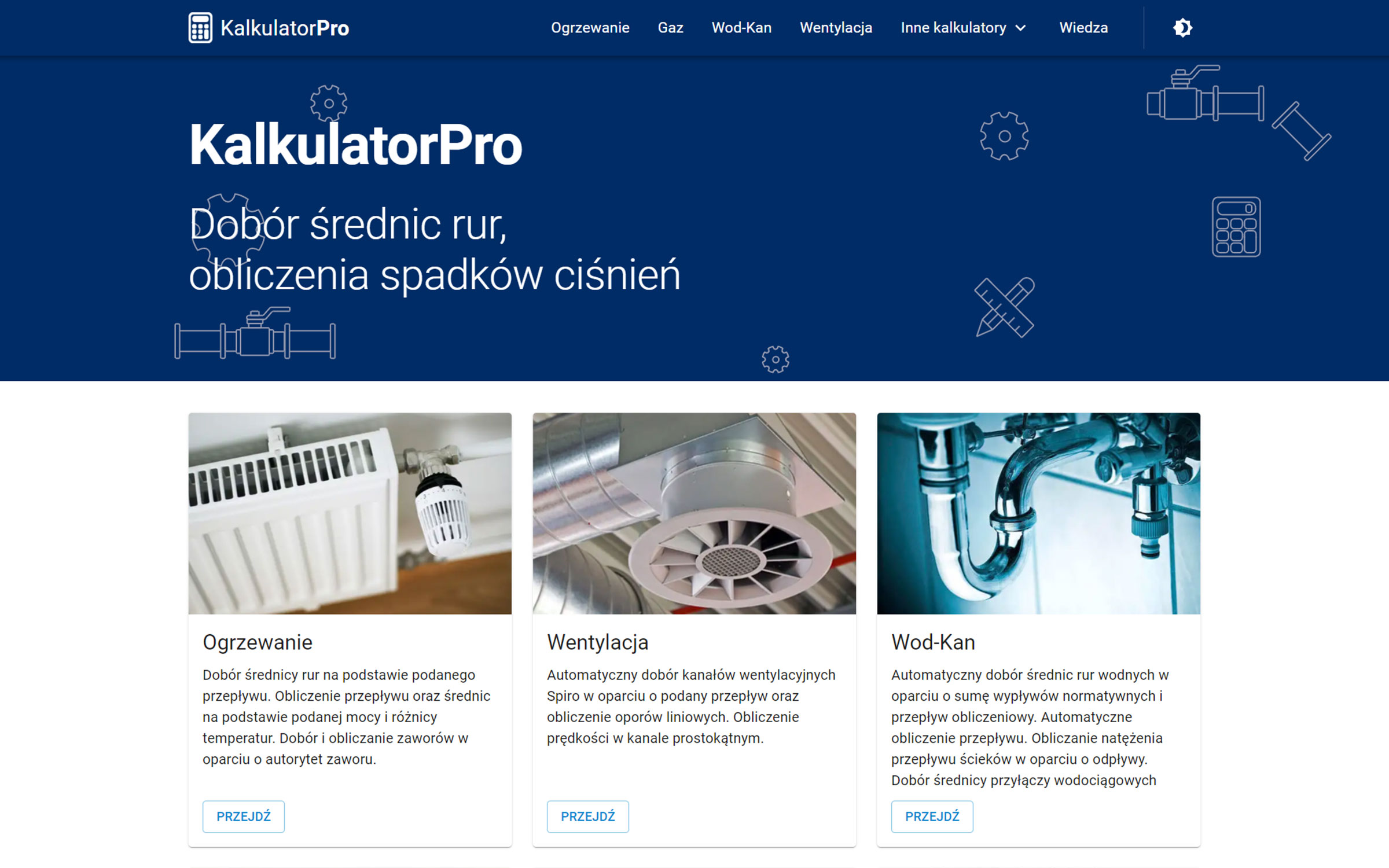
KalkulatorPro homepage before the redesign
KalkulatorPro homepage after the redesign
BeforeAfter

Solution

Signup only asks for email and password — '5 days free, no card required,' with billing deferred to the end of the trial.

A real phone number stays in the footer — a low-cost fallback for less digitally fluent users, still handled personally by the owner.

Problem — "Floating Form"

A small calculator form sat in the top-left corner above a large, empty white area. No instructions, no explanations, no supporting content. The page visually signaled "unfinished," making it hard to justify a paid subscription.

Solution — "Content Stack"

Every calculator page was rebuilt around a full content stack — a 3-step usage guide, recommended engineering values, formulas, comparison tables, and FAQ — wrapped around the calculator form.
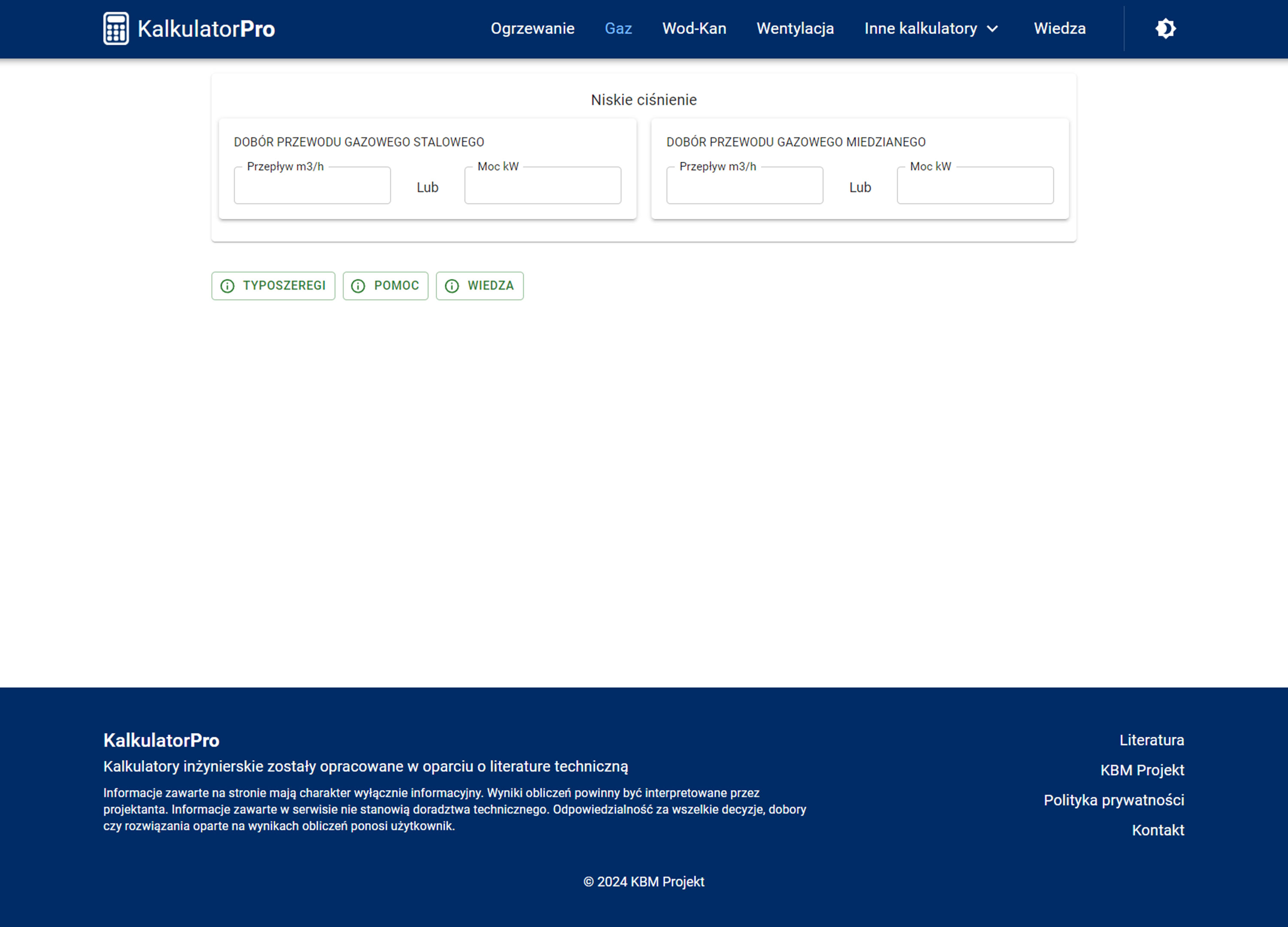
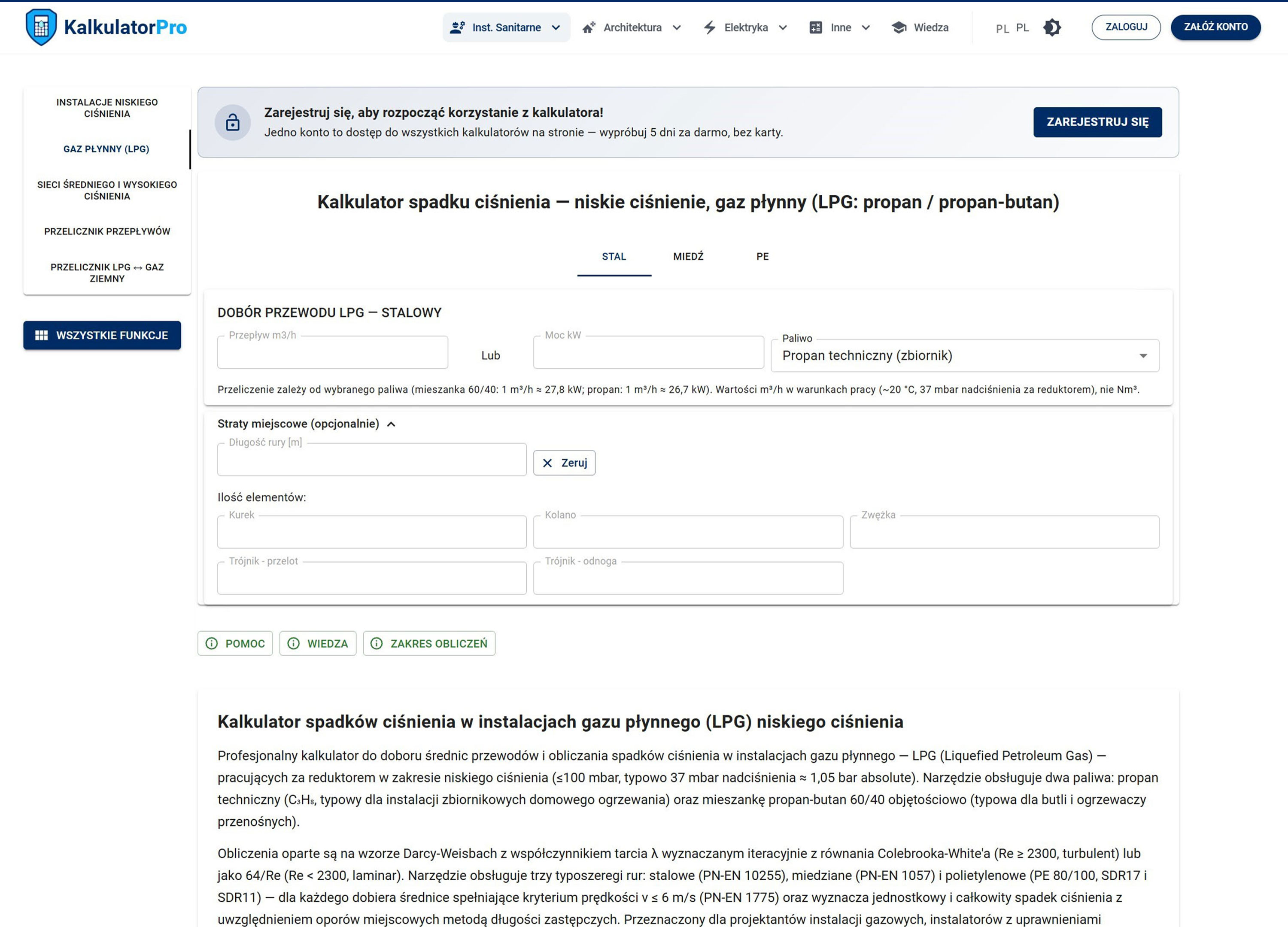
KalkulatorPro gas calculator subpage before the redesign — form with large empty space below
Before — a small form above a large, empty white area.
KalkulatorPro gas calculator subpage after the redesign — full content stack
After — the same calculator wrapped in a full content stack.

Design Tokens Systematization

The visual system was rebuilt on Tokens Studio — semantic tokens for color, typography, spacing, radius, and shadow — replacing ad hoc, page-by-page styling across 40+ calculator pages. This keeps the product consistent as it scales and bakes WCAG contrast requirements into the system by default.

Results

Paid subscribers grew from ~100 to ~190 after launch — a coordinated release, so no single change can be isolated as the cause.

The dedicated B2B section now drives ~10 inbound inquiries a month — a channel that didn't exist before.

100 → ~190 (+90%)

Paid subscribers following the redesign launch

~10 leads / month

Inbound B2B inquiries via the dedicated "For Teams & Companies" section

Design Review Q&A

That's a real trade-off, made deliberately. A card-at-signup filters for purchase intent, but it also filters out exactly the audience this product needed most: existing free users who'd never paid and needed to re-experience the tool's value first. With usage data in hand, I'd want to see trial-to-paid conversion split by acquisition source before calling it settled.

Keeping the core interaction unchanged kept the perceived "betrayal" surface small. Once the paywall went live, students and university staff — never the monetization target — started dropping off as a side effect. That wasn't predicted upfront; the free-access path for that segment was a reactive fix, not a planned mitigation. I don't have churn data to prove this worked — only the owner's qualitative read that signups stayed steady and annual sales were strong.

I'm not claiming a measured lift — I don't have that data. What I can defend is the diagnosis: the "floating form" signaled unfinished quality right at the moment a user decides whether to pay, and content-rich pages are a well-documented pattern for building authority in exactly that moment.

Forty-plus pages built up ad hoc over years is exactly where design debt compounds fastest — and the product wasn't staying at 40 pages, it was adding account screens, pricing tiers, and billing. Skipping a token layer just means every new surface duplicates inconsistent styling or needs a redesign pass later, at higher cost than the token system upfront.
Case study 2/4

Data-driven skills dashboard.

I turned 222 real job offers into an interactive dashboard that shows designers moving into IT which tools and skills the market actually expects.

My Role
Product Owner / UX Researcher / Product Designer / DesignOps
Tech Stack
Apify / Google Sheets / OpenAI API / Figma / React / Claude Code / Vercel / Notion

Context

Analog and graphic designers struggle to break into IT because the tech skill gaps are unclear.

Before building anything, I audited design communities and forums to validate the pain point.

Process

Scraping Live Markets

Apify scrapers collected nearly 800 job offers from LinkedIn, Pracuj.pl and NoFluffJobs.

Filtering Anomalies

Removing duplicates and non-design roles (e.g. Frontend tagged as UX) left 230 offers. The tool shows 222 of them: roles with at least 5 offers.

Extraction Bottleneck

The first attempt, extracting skills with the Gemini API in Google Sheets, ran into technical problems.

The Pivot

Switched to the OpenAI API in Google Sheets: a formula pulls only the tools and skills from each job description.

Solution

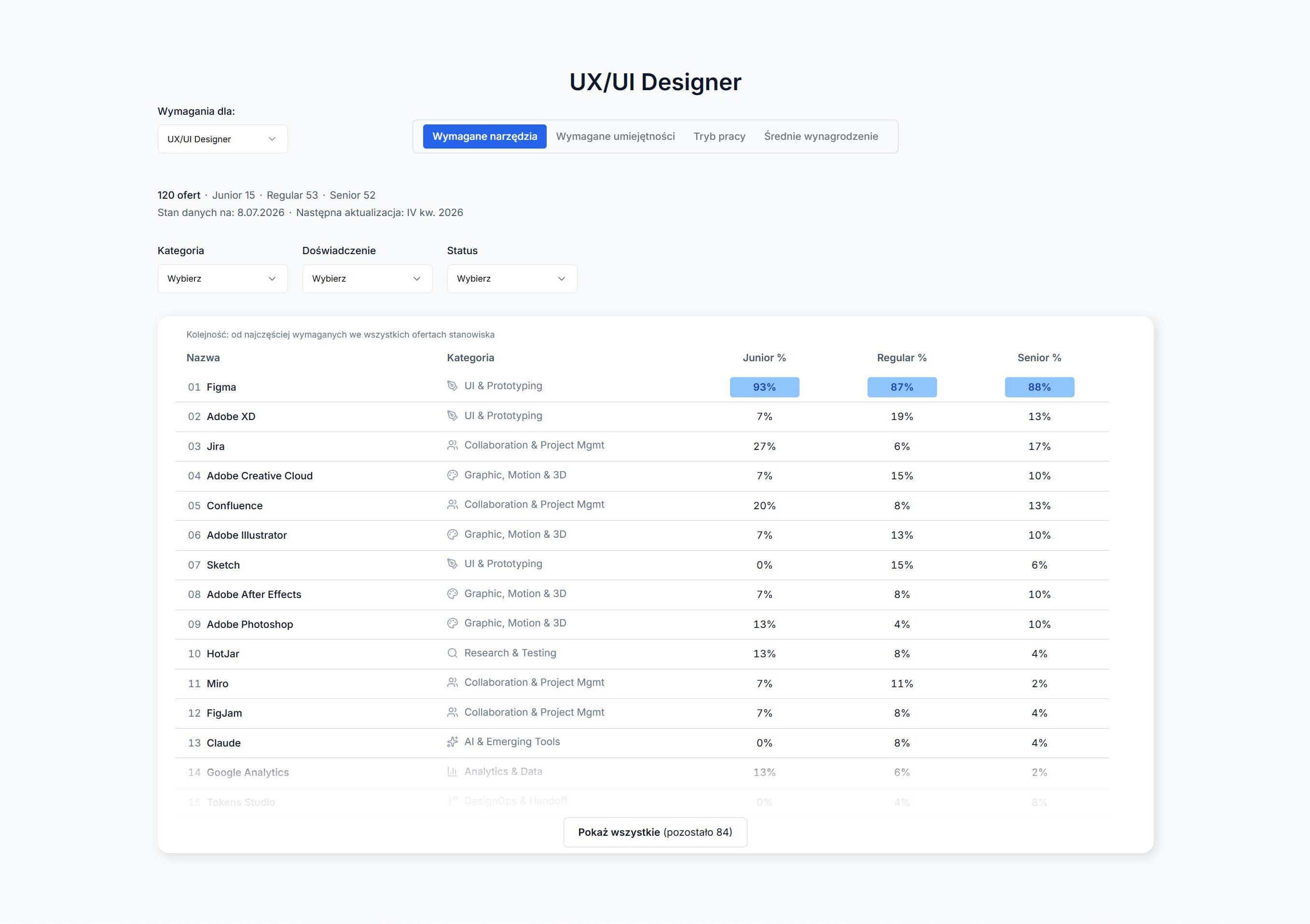
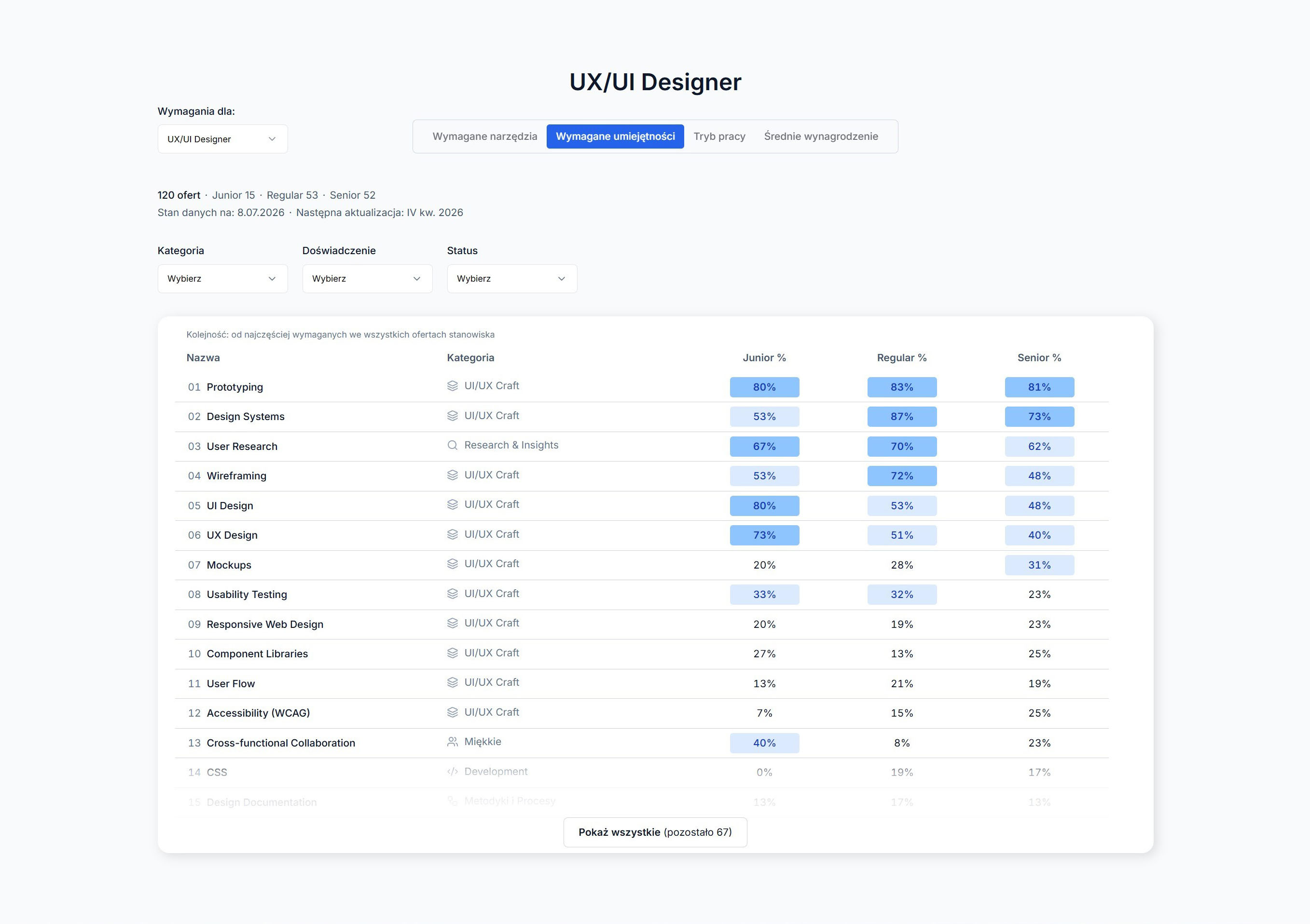
Designed in Figma, refined in code. Four tabs (tools, skills, work mode, salary), each with its own filters right above the results. Every view shows how many offers the numbers are based on and when the data was collected.

chcedo.it — UX/UI Designer: required tools table with the share of job offers for Junior, Regular and Senior
Required tools
chcedo.it — UX/UI Designer: required skills table with the share of job offers for each experience level
Required skills
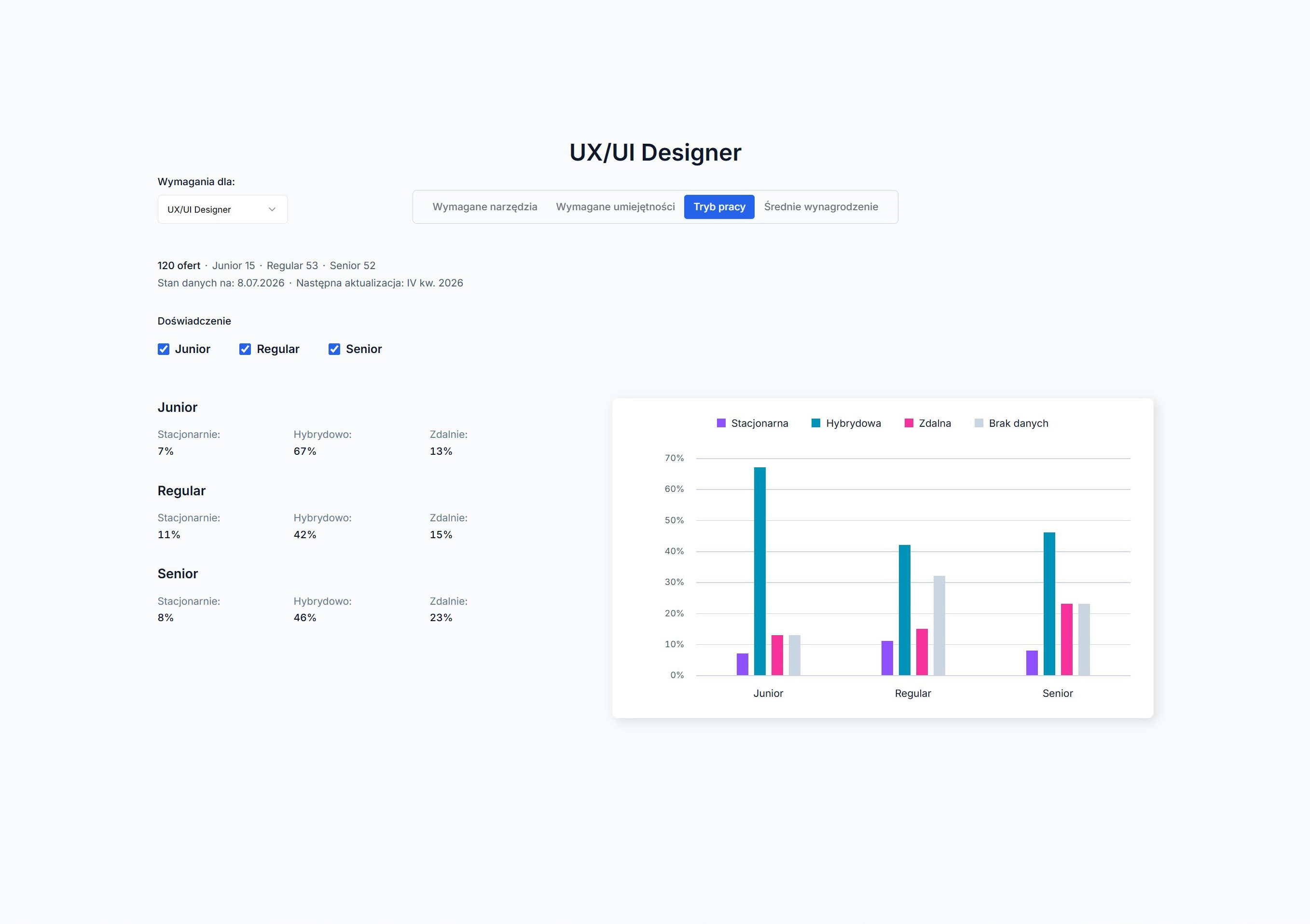
chcedo.it — UX/UI Designer: work mode (on-site, hybrid, remote) by experience level, with a bar chart
Work mode
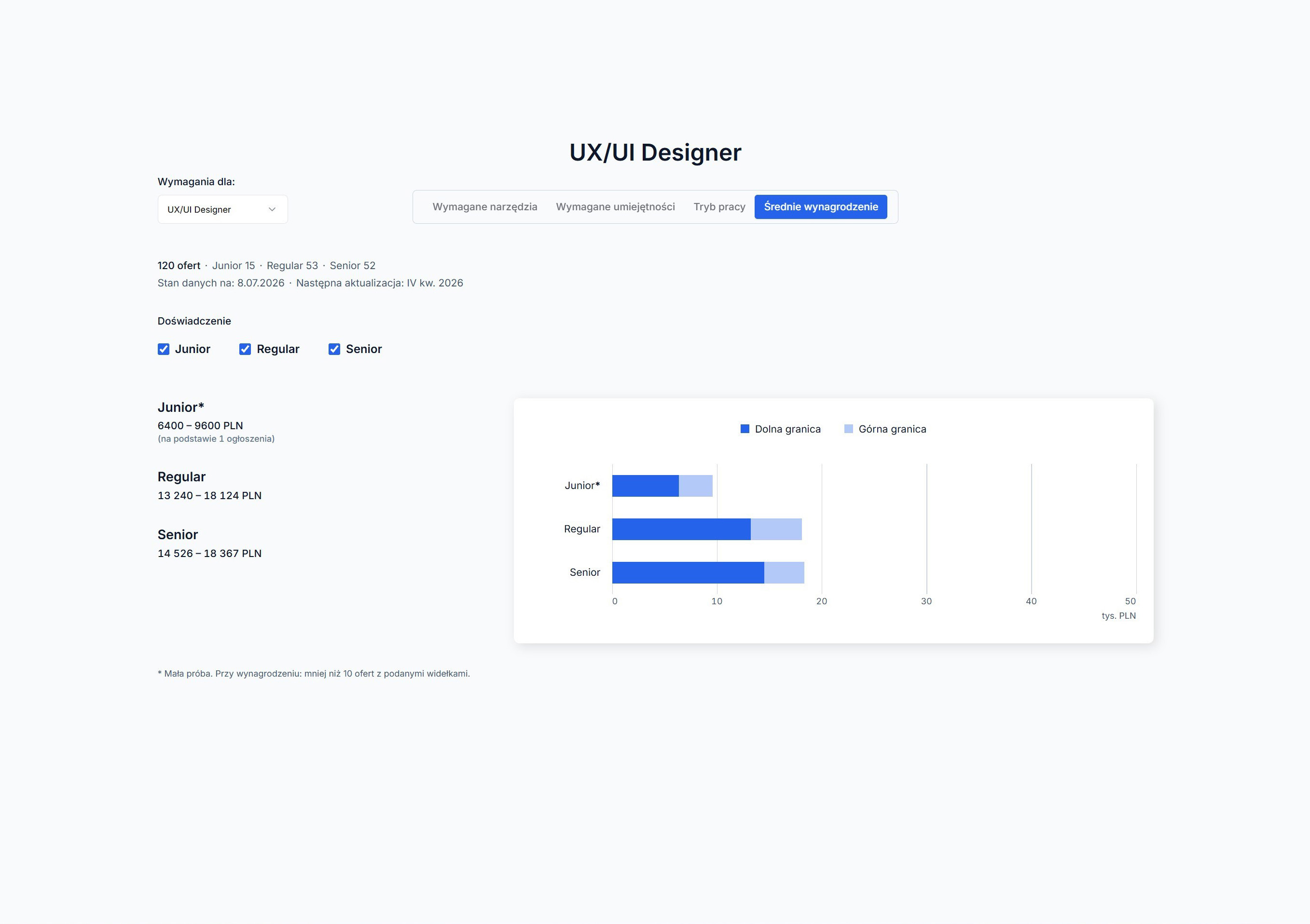
chcedo.it — UX/UI Designer: salary ranges (lower and upper limit) by experience level, with a bar chart in thousands of PLN
Salary ranges

Results

The MVP went to a small group of designers, the tool's target users. They left 20 comments: 10 implemented, 3 solved differently, 3 partly, 3 still waiting and 1 rejected on purpose.

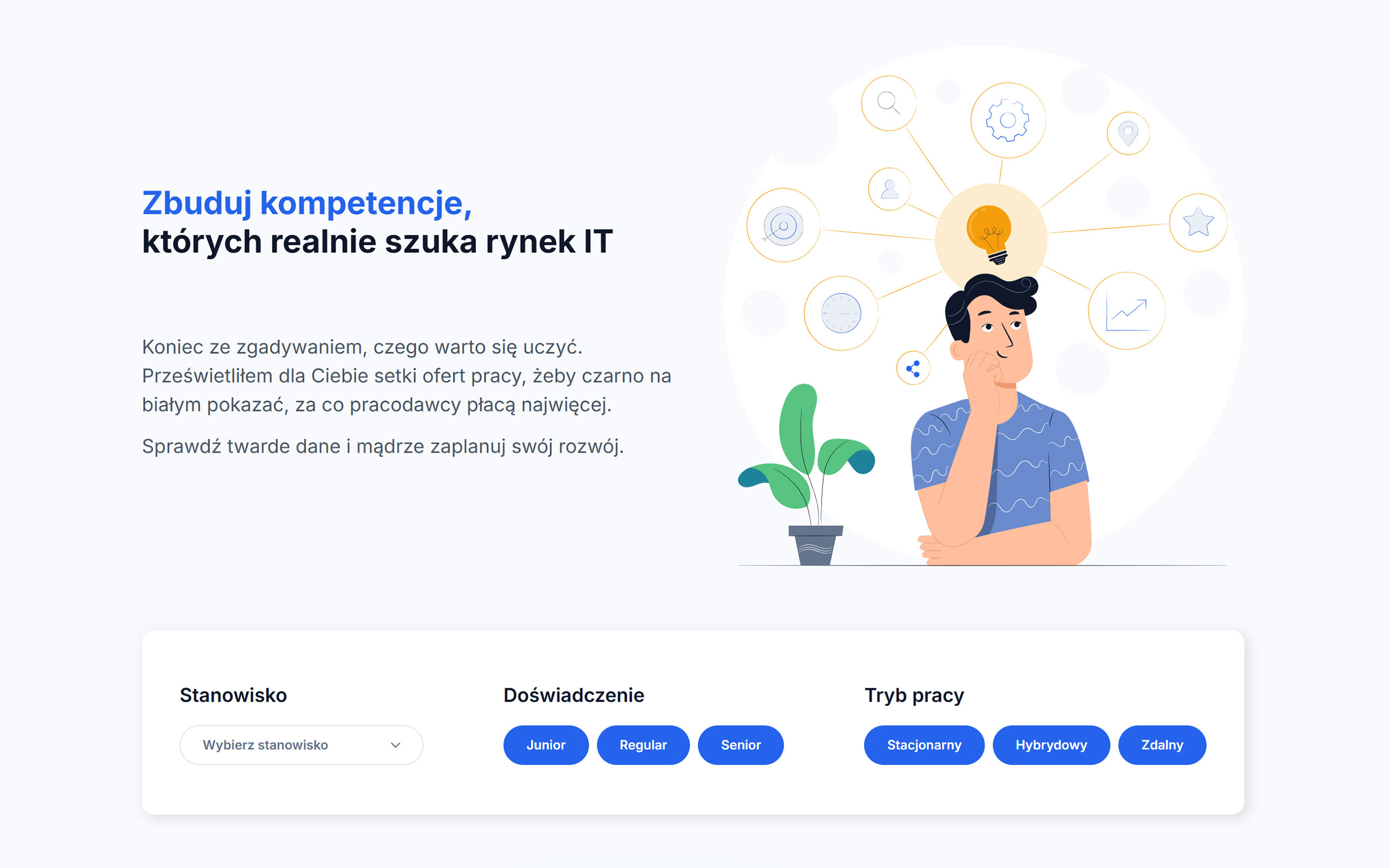
chcedo.it — home page before the iteration: headline with an illustration, filters (role, experience, work mode) in a separate panel below
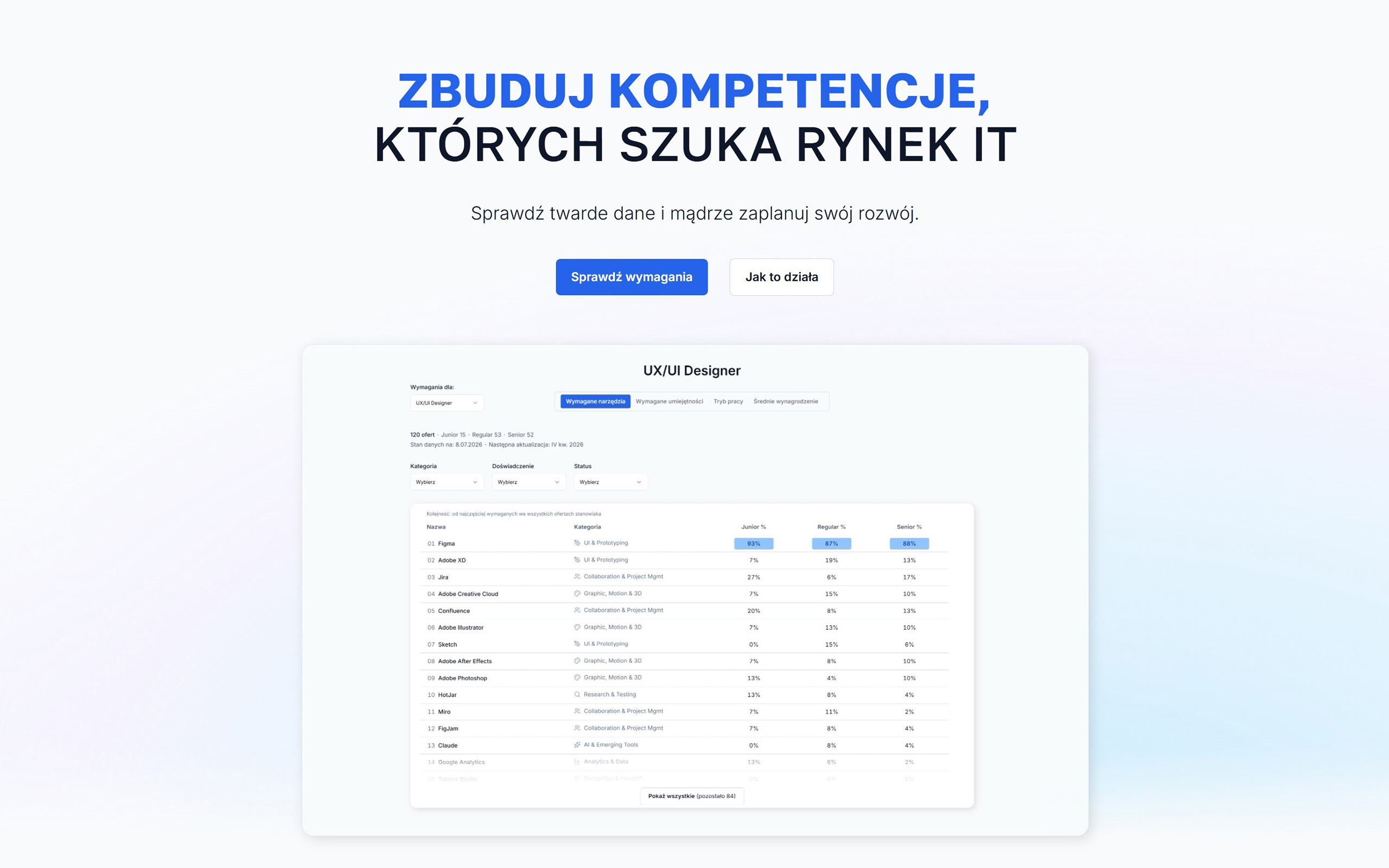
chcedo.it — home page after the iteration: headline with two buttons and a preview of the dashboard with the required tools table
BeforeAfter

Interaction & Layout

Filters were far from the results, so every change meant scrolling. Now each tab has its filters right above the table or chart.

Data Transparency

Testers asked how many offers the numbers come from and how fresh they are. Each role now shows offer counts per level and the data date. Small samples show "2 of 4" instead of a percentage.

Taxonomy & Filtering

Fixed a sorting bug and set one rule for the Experience filter across the page. Merging Polish and English skill duplicates is still ahead.

Accessibility & Visual Consistency

Keyboard support, one visible focus style, higher contrast and no motion when "reduce motion" is on. Checked automatically; screen reader tests are still ahead.

Next: rebuilding the Figma screens with the new Design System, a quick test of offer counts next to percentages, and the quarterly data update in Q4 2026.

Detailed feedback log, prioritization, and next iteration plans are documented in my Notion workspace.

Design Review Q&A

With only a few offers, a percentage looks like a hard result: one offer gives 100%. So every level shows its offer count, 5–9 offers get an asterisk, and 1–4 offers show "x of n". With larger samples I kept percentages, because they let you compare levels with different totals.

Some roles are used interchangeably, so the request made sense. But merging several roles in one table would blur the differences the tool is meant to show. A separate role comparison view is planned instead.

A tester with an accessibility background found that the role dropdown didn't work with a keyboard and focus was barely visible. Her comment: standard HTML elements should fix this. So I set a rule: no form or navigation controls built from scratch. The dropdown became an accessible Select component, level filters became native checkboxes, and three different focus styles became one.

The base was designed in Figma, but the details were refined in code. An audit showed Figma used outdated colour values and 437 instances pointed to deleted components. I rebuilt variables and text styles from code next to the old ones, so the v1 screens stayed as a "before" archive. Checked against the live site: 0 colour differences.

Case study 3/4

Standardizing how AI works in marketing.

I'm building a micro-SaaS that gives AI a growing knowledge base about each client's brand — validating it manually with ad agencies before automating.

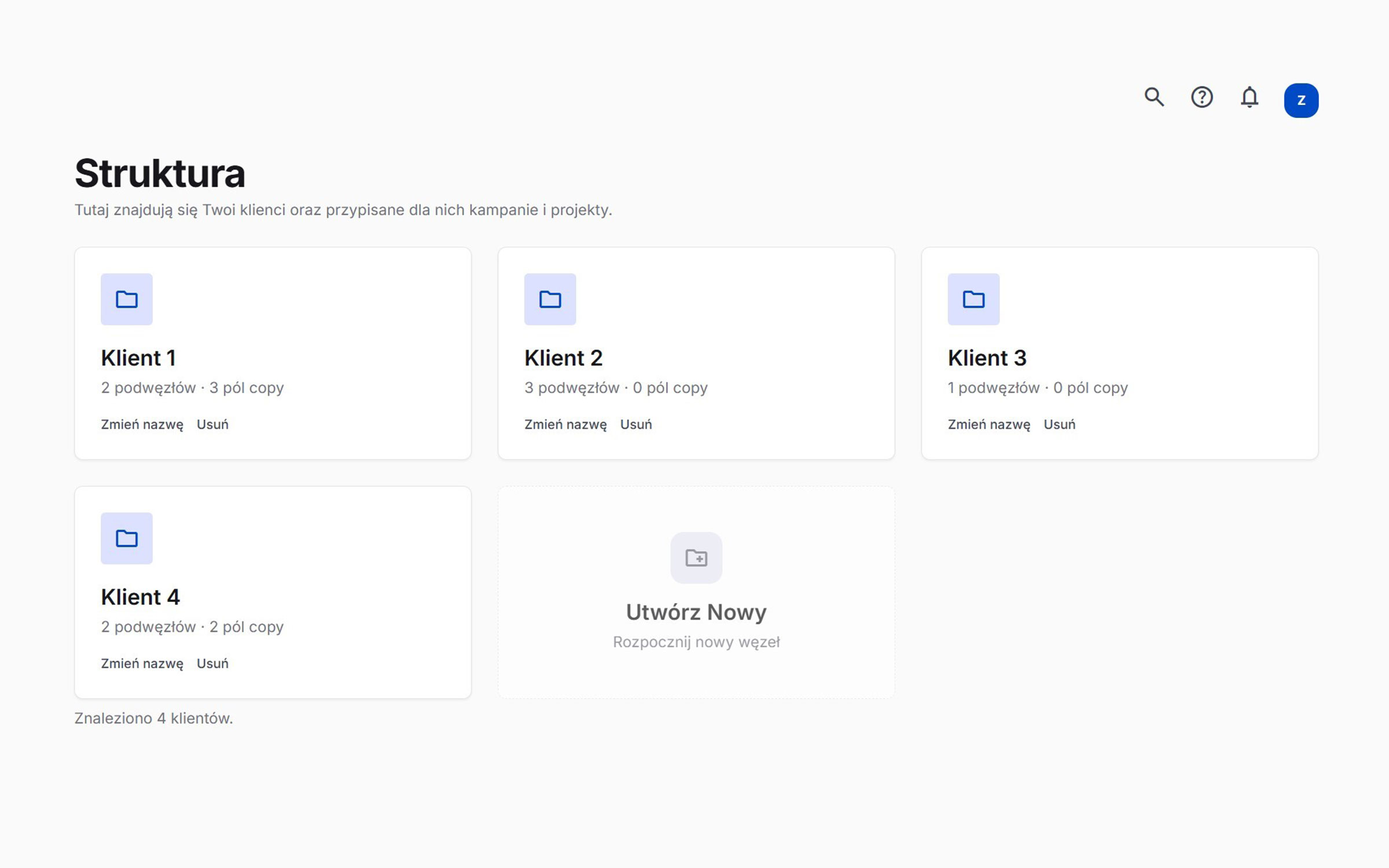
Klamra app — Structure view with client folders and copy fields
My Role
Founder / Product Designer
Tech Stack
Supabase / Adobe UXP / Google Stitch / Tailwind CSS / Cursor / Claude

Context

Agencies use AI daily for copy, research and strategy — but it starts from zero every time. Without lasting brand context, the output is generic and inconsistent.

Problem

Two related problems:

  • No persistent brand knowledge — every AI task starts from scratch, so the output is generic and the same briefing gets repeated.
  • Fragmented production — approved copy is pasted by hand between a text editor and Photoshop, causing errors and delays.

Solution

Klamra is built from four connected parts — from brand knowledge to the final design file.

Brand Voice knowledge base

Structured files per client: personas, communication rules and forbidden words. Meant to give any AI tool the same brand context, so nobody has to re-brief it from scratch.

Concierge MVP

Before automating, I prepare Brand Voice files by hand for real agencies — to learn what they actually need before writing more code.

Copy status panel

A web panel where copy moves from draft to approved — one place that shows which text is final.

Photoshop plugin

An Adobe UXP plugin synced with the copy panel: approved text lands directly on Photoshop layers, with no manual copy-pasting.

Validation

The first Brand Voice file went to the owner of a micro ad agency. His take: it would meaningfully cut research time for new clients — an early signal, not a metric. I'm now in conversations with more agencies to onboard the first clients.

Next steps

In progress: automated brand analysis and persona generation (a UI mockup for now). Planned: channel-ready copy from the Brand Voice, approved content feeding back into the knowledge base, and organization accounts.

Case study 4/4

Building a product from scratch.

I built an AI-powered QA tool that spots typos directly on marketing graphics — to shorten the feedback loop between managers and designers.

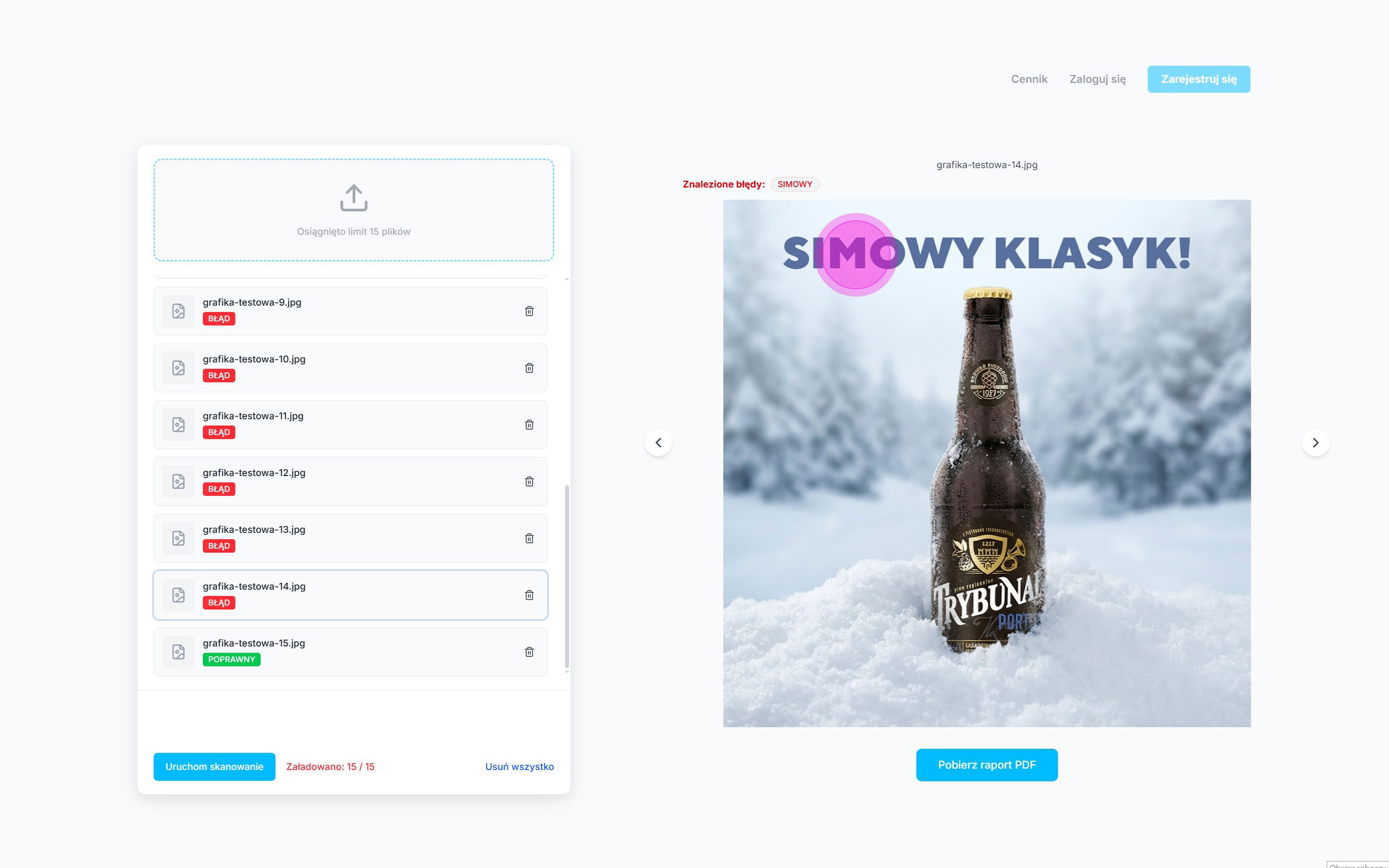
Micro SaaS app — scan results with a typo marked on a beer ad and a PDF report button
My Role
Founder / Product Designer / Product Strategist
Tech Stack
Figma / Cursor / GitHub / Next.js / Vercel / Cloudflare / Gemini 2.5 Flash

Context

In ad agencies, proofreading banners, social posts and ads is a manual bottleneck. I designed a tool that turns it into a 60-second automated scan.

Problem

Manual QA is slow and error-prone — one mistake can mean a costly reprint. Standard spell-checkers can't read text on flattened graphics.

SurveyProblem Validation

Is the problem addressed by this app important?

100%Yesn≈10

No 0%

I surveyed around 10 agency professionals — every one of them confirmed the need for automated asset checks.

SurveyStress & Responsibility

Stress level when approving large batches of visual assets.

~33%
~67%
12345
No stressExtreme stress
Respondents reported high stress when approving large batches of assets manually.

Solution

Three simple steps for fast-paced creative teams — no retyping text, no complex setup.

Drag & Drop Upload

Drop up to 15 graphics at once — the app compresses them automatically for faster scans.

Instant Error Spotting

Within 60 seconds, typos are marked directly on the image with pulsating markers.

One-Click PDF Reports

Managers export a PDF report mapping every typo — no more listing errors by hand.

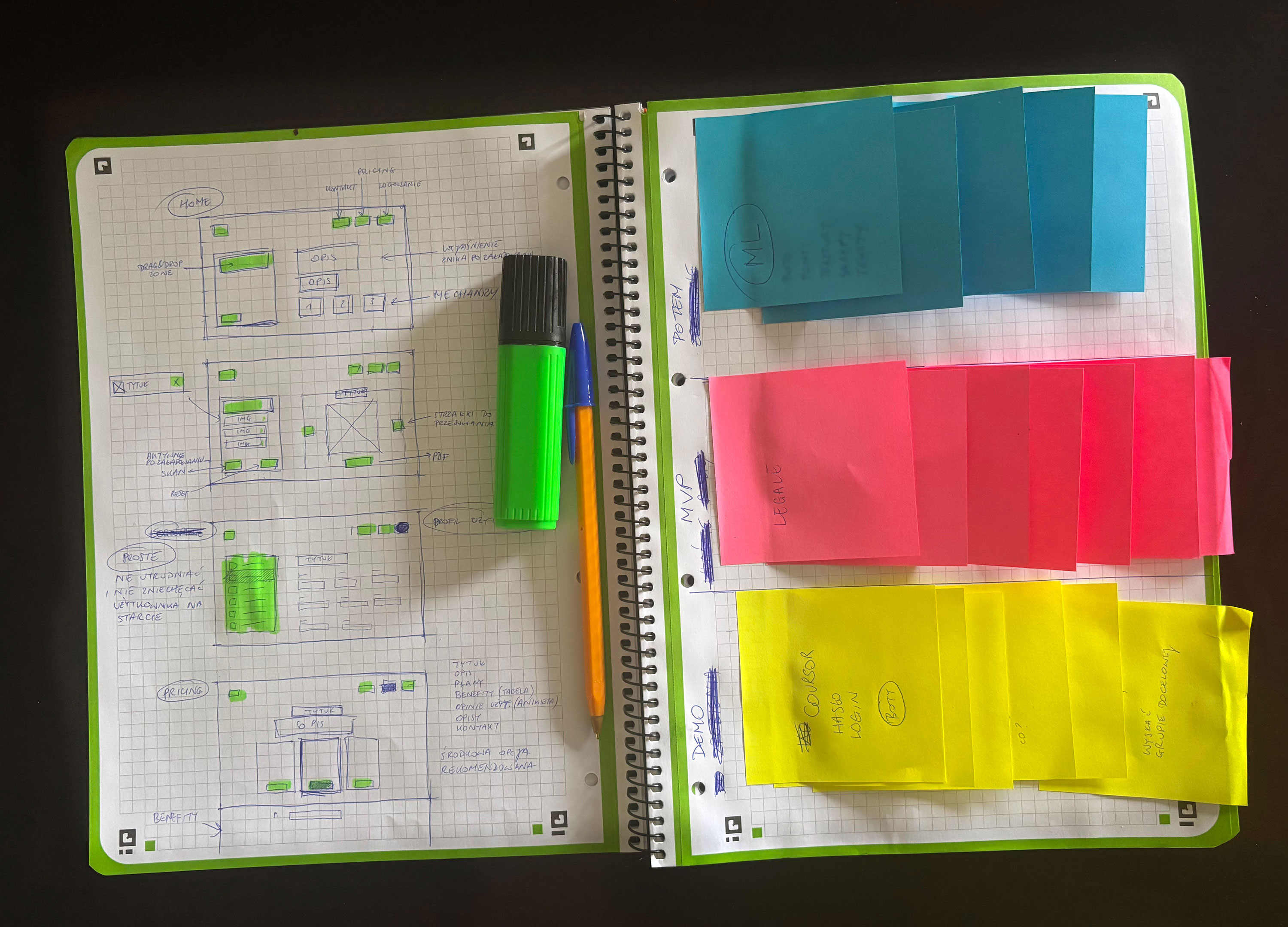
Discovery and design process — handwritten sketches and workflow ideation
Mapping out core user journeys and technical architecture before coding.
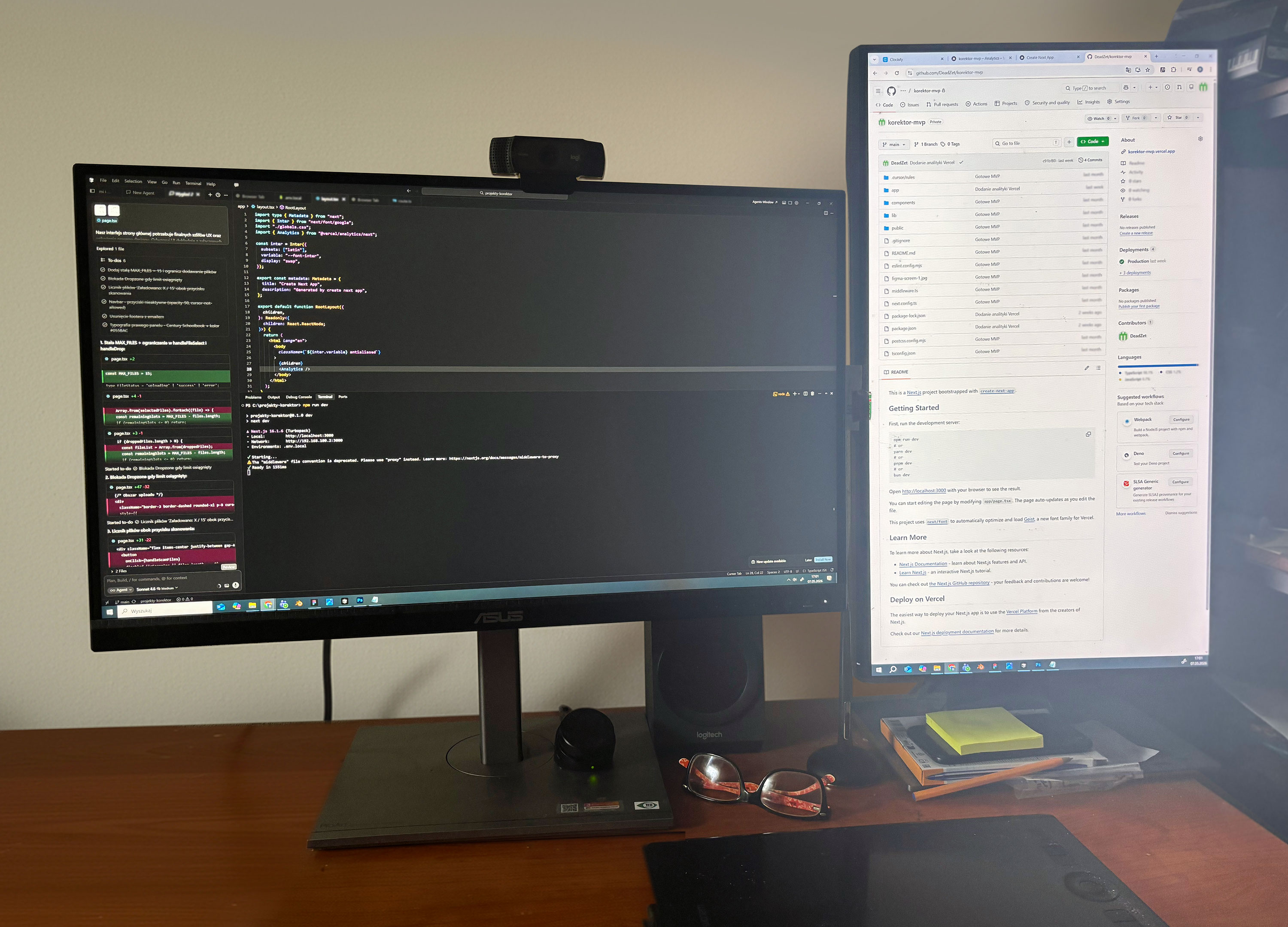
Technical implementation — coding the verification engine in Cursor AI editor
Full-stack development loop: writing code in Cursor while monitoring deployed changes via GitHub.

Key decisions from MVP to live product:

01 — Initial Assumptions

Feedback showed that a plain list of typos forced users to hunt for each one on the canvas — defeating the point of automation.

02 — Iteration & UX

I added visual error mapping with pulsating markers, plus a multi-page PDF export as a bridge between managers and designers.

03 — Cloud Architecture & Security

Moving to the cloud (Vercel + Next.js), I removed password protection so recruiters and testers can try it freely — replaced by Cloudflare anti-bot protection and a 15-scan limit to control costs.

04 — Analytics Integration

Vercel Web Analytics tracks how and when the tool is used — input for the next iteration.

Next steps

  1. Discovery & Strategy

    • Problem Identification
    • User Research & Benchmarking
    • Solution Architecture
  2. MVP & Proof of Concept

    • UX/UI Design
    • Implementation (Vercel + Next.js)
    • Working Demo & Internal Testing
  3. Beta & ML Integration

    • Machine Learning Models Integration
    • Closed Beta (Target Audience Testing)
    • Feedback Collection & Mapping
  4. Launch & Scaling

    • Logic Refinement
    • Official Launch (Public Release)
    • Analytics Monitoring

The MVP is live and in testing, with a daily scan limit to keep it stable. I'm collecting usage data and feedback for the next iteration.

Craft

Designing emotions.

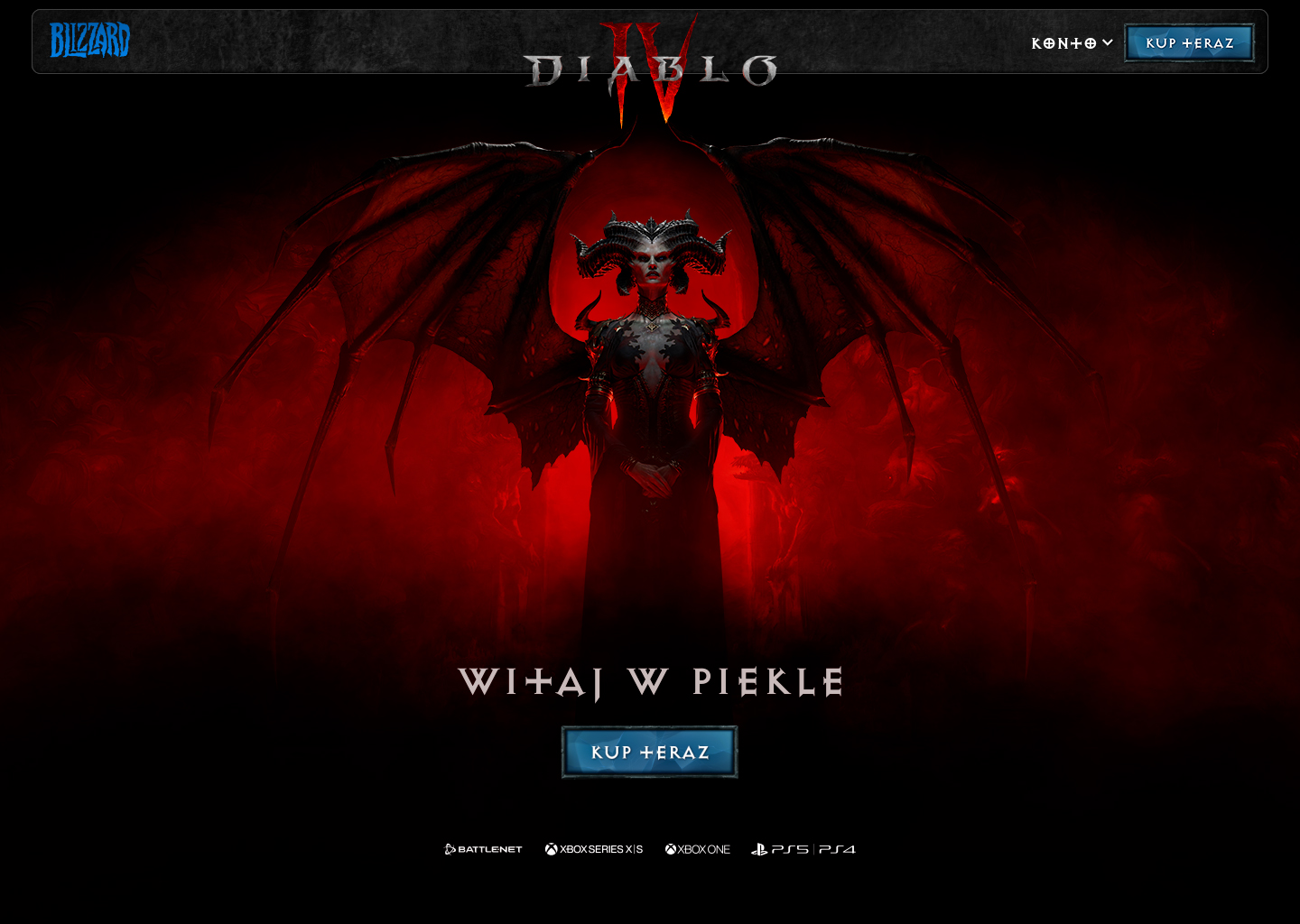
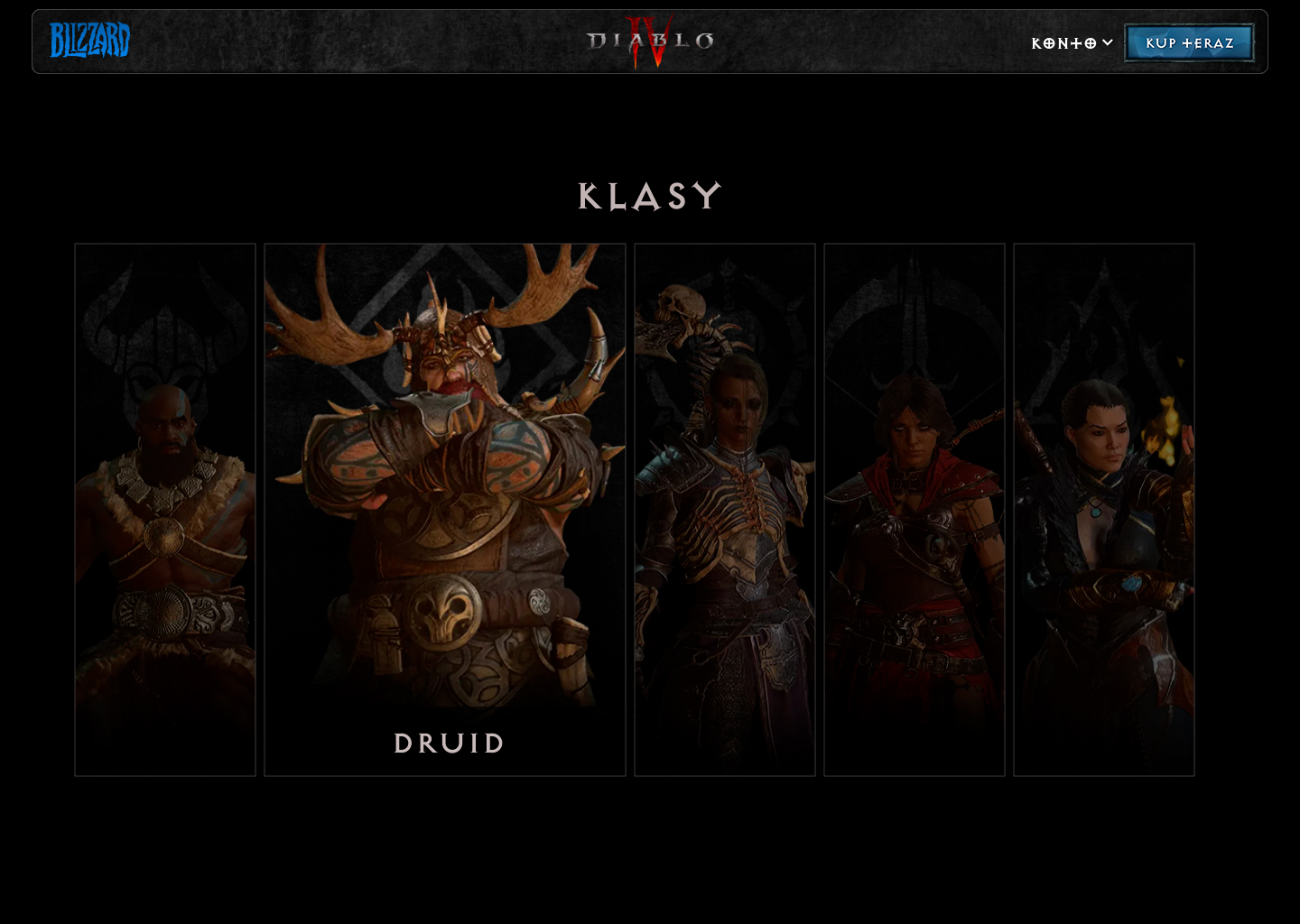
An unofficial passion project — a concept launch page for Diablo IV, exploring UI and motion design. No brief, no research: pure visual craft.

Fan concept, not affiliated with Blizzard Entertainment.

Diablo IV hero pre-order screen with Lilith
Diablo IV character classes screen
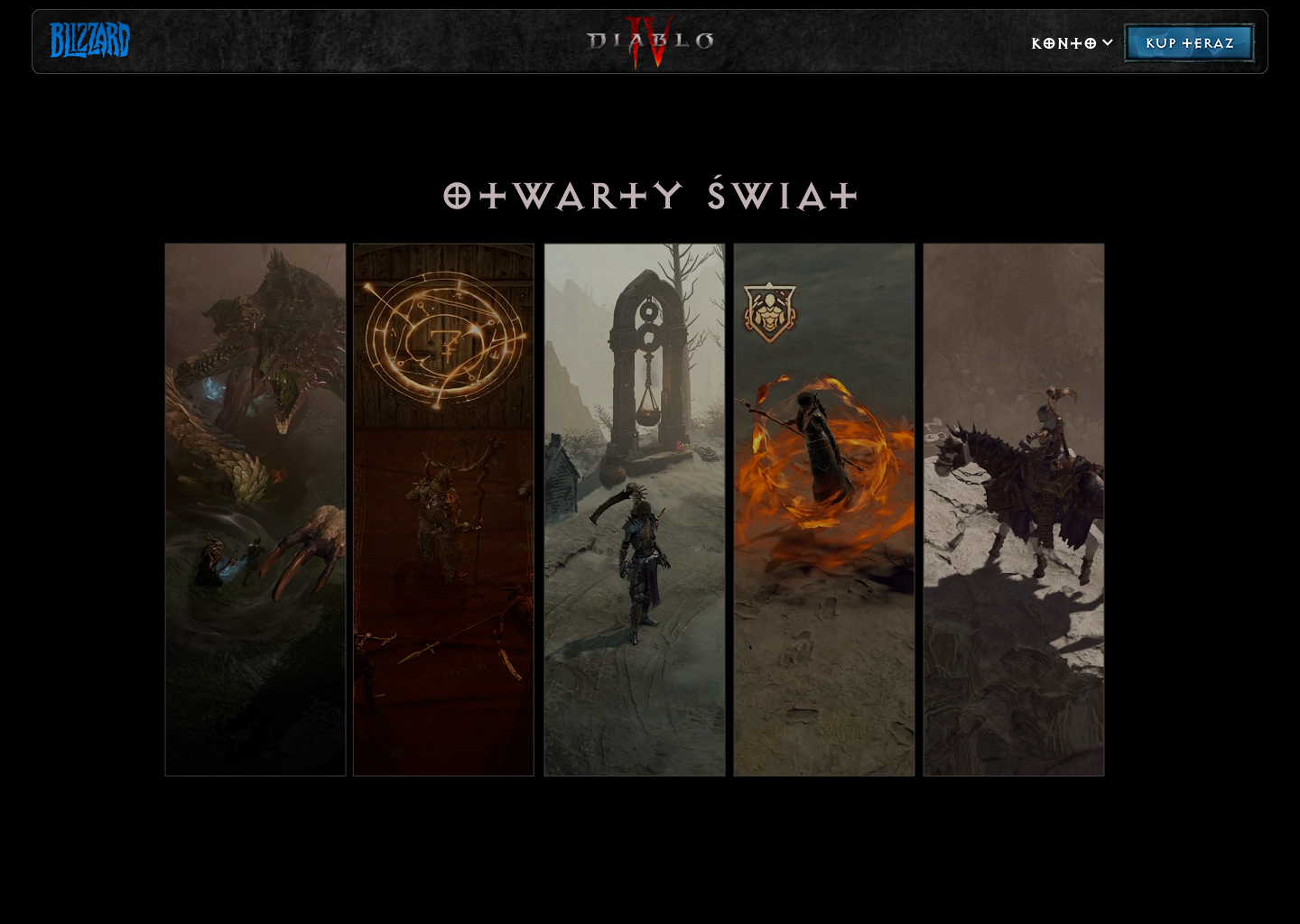
Diablo IV open world screen
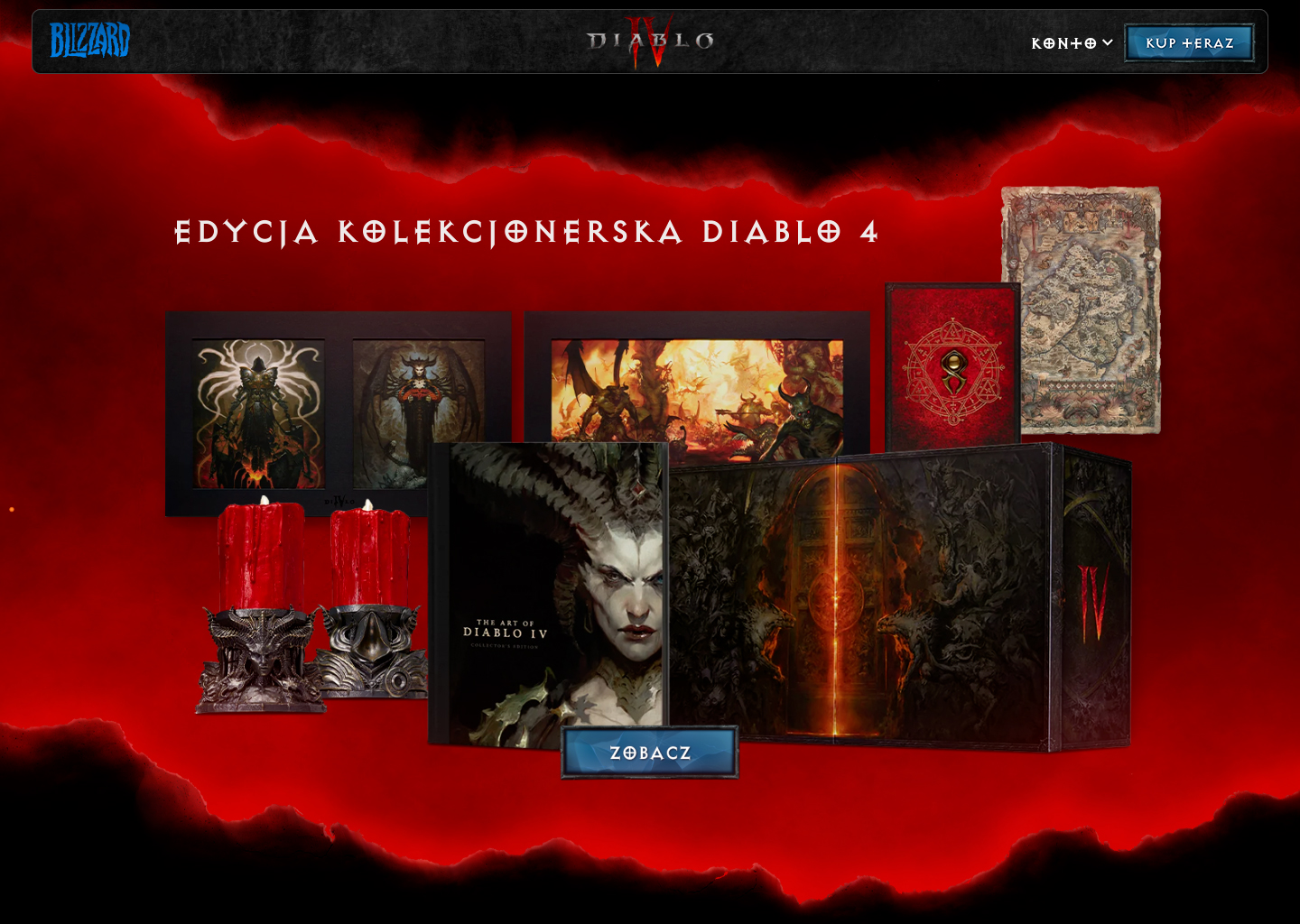
Diablo IV Collector's Edition screen
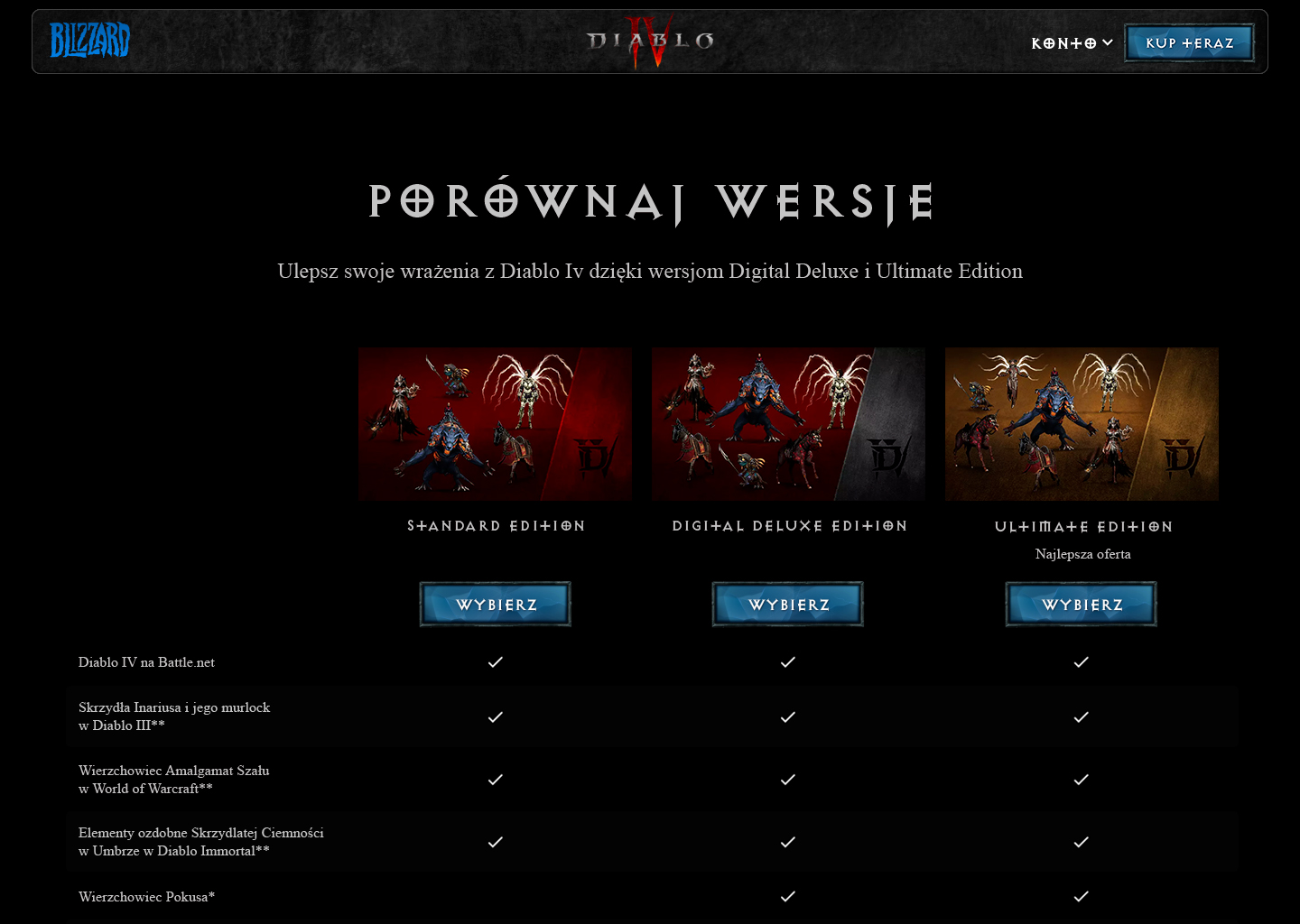
Diablo IV editions comparison screen